

Migrating applications to the public cloud requires selecting the right path from the widely accepted 6 Rs framework (Rehost, Replatform, Refactor, Repurchase, Retire, Retain). Two of the most common mid-tier modernization strategies are Lift-and-Shift (Rehosting) and Replatforming (Lift-Tinker-and-Shift).
Understanding the core tradeoffs between speed, cost, and cloud-native functionality helps determine which strategy fits specific business workloads.
1. Defining the Strategies
LIFT-AND-SHIFT (Rehosting)
[ On-Premises VM ] ────────────► [ Cloud Compute Instance (EC2/GCE/VM) ]
                       (Zero Code/Architecture Changes)

REPLATFORMING (Lift-Tinker-and-Shift)
[ On-Premises Monolith ] ───────► [ Containerized App / Managed DB (RDS) ]
                       (Targeted Optimization / Minimal Code Tweaks)
Lift-and-Shift (Rehost)
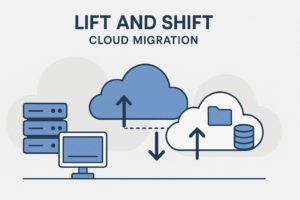
Lift-and-Shift moves applications, databases, and operating systems directly to the cloud without modifying their underlying architecture or code.
-
How it works: Virtual machine (VM) disk images, network configurations, and data are copied directly from on-premises hypervisors or bare-metal servers to Cloud Infrastructure-as-a-Service (IaaS) instances.
-
Analogy: Moving an old physical office desk from your home into a new office building without rearranging any drawers or changing the items inside.
Replatforming (Lift, Tinker, and Shift)
Replatforming involves replacing underlying system components with cloud-managed services or modern platform features without altering the core application logic.
-
How it works: An application’s architecture remains largely intact, but supporting infrastructure is swapped. For example, replacing a self-managed, on-premises MySQL database with Amazon RDS or Google Cloud SQL, or wrapping legacy code inside Docker containers running on managed Kubernetes.
-
Analogy: Moving into a new office building, but replacing your old paper filing cabinet with a digital electronic filing system provided by the landlord.
2. Head-to-Head Comparison
| Attribute | Lift-and-Shift (Rehost) | Replatforming (Lift-Tinker-and-Shift) |
| Primary Driver | Rapid exit, deadline pressures, minimal risk | Lowering management overhead, leveraging PaaS |
| Code Changes | None (0% code modification) | Minimal (0–10% code or configuration tweaks) |
| Migration Speed | Fast (Weeks to Months) | Moderate (Months) |
| Initial Upfront Cost | Low | Medium |
| Long-Term TCO | Higher (runs unoptimized compute/storage) | Lower (reduces database licensing & ops overhead) |
| Managed Services | None (Runs on basic IaaS VMs) | Moderate (Leverages PaaS like AWS RDS, Elastic Beanstalk) |
| Auto-scaling Capability | Limited to basic VM scale sets | High (Native PaaS and container auto-scaling) |
| Skill Set Required | Standard SysAdmin / DevOps | Cloud Engineering & PaaS configuration |
3. Key Tradeoffs: Cost, Speed, and Technical Debt
The Case for Lift-and-Shift
-
Speed & Simplicity: Enables rapid migration to meet hard deadlines, such as data center lease expirations or hardware end-of-life.
-
Lower Upfront Risk: Eliminates code-level bugs and regression issues during the initial cloud transition.
-
Automated Migration: Allows the use of automated tools (like AWS Application Migration Service or Azure Migrate) to clone servers concurrently.
The Drawbacks of Lift-and-Shift
-
Inherited Inefficiencies: On-premises performance bottlenecks, legacy OS bloated footprints, and monolithic limitations move straight to the cloud.
-
Suboptimal Cloud Spending: Running monolithic applications 24/7 on oversized IaaS VMs can lead to higher monthly cloud bills than on-premises running costs.
The Case for Replatforming
-
Operational Offloading: Shifting from self-managed databases to fully managed PaaS eliminates routine operational burdens like OS patching, automated backups, high availability, and failovers.
-
Cost Optimization: Replacing expensive proprietary software licenses (e.g., commercial database licenses) with open-source managed equivalents reduces ongoing software overhead.
-
Cloud-Native Enablement: Containerizing applications or connecting them to managed caching layers (e.g., Redis) makes future modernization much easier.
The Drawbacks of Replatforming
-
Scope Creep: Over-engineering during the migration process can delay deadlines and inflate upfront project costs.
-
Testing Requirements: Replacing core components (like database engines or message queues) demands thorough regression testing before going live.
4. Decision Matrix: Choosing the Right Strategy
Choose Lift-and-Shift when:
-
Hard Deadlines Loom: You face an impending data center lease expiration or hardware lifecycle refresh within 3–6 months.
-
Legacy COTS Software: You are migrating commercial off-the-shelf software where source code access is unavailable or modification is restricted by vendor licensing.
-
Phased Modernization: You prefer a “Two-Step Migration”—rehosting applications to the cloud as-is first, then refactoring them incrementally once established.
Choose Replatforming when:
-
High Ops Overhead: On-premises teams spend significant time patching databases, configuring storage replication, or managing application servers.
-
Container-Ready Applications: Stateless web applications can be containerized with minimal effort to run on managed Kubernetes or container platforms.
-
Database Modernization: Moving from self-hosted database servers to managed cloud database instances yields immediate resilience and scaling gains without code rewrites.